Help Center

Retake Course

June 10, 2026

Retake Course

You can require that a student retake pages, sections, or an entire course.

VERY IMPORTANT: Retaking an entire course will completely erase all of the data (responses, progress, comments, etc.) from the previously taken course, and the student will have to take the course as if they never took it in the first place. 
When requiring a student to retake specific pages within their course, it is helpful to leave clear and understandable comments as to how they can improve their responses. Accountability is a very important part of life, and the Lifeskills Link platform.
Steps: Retake Course

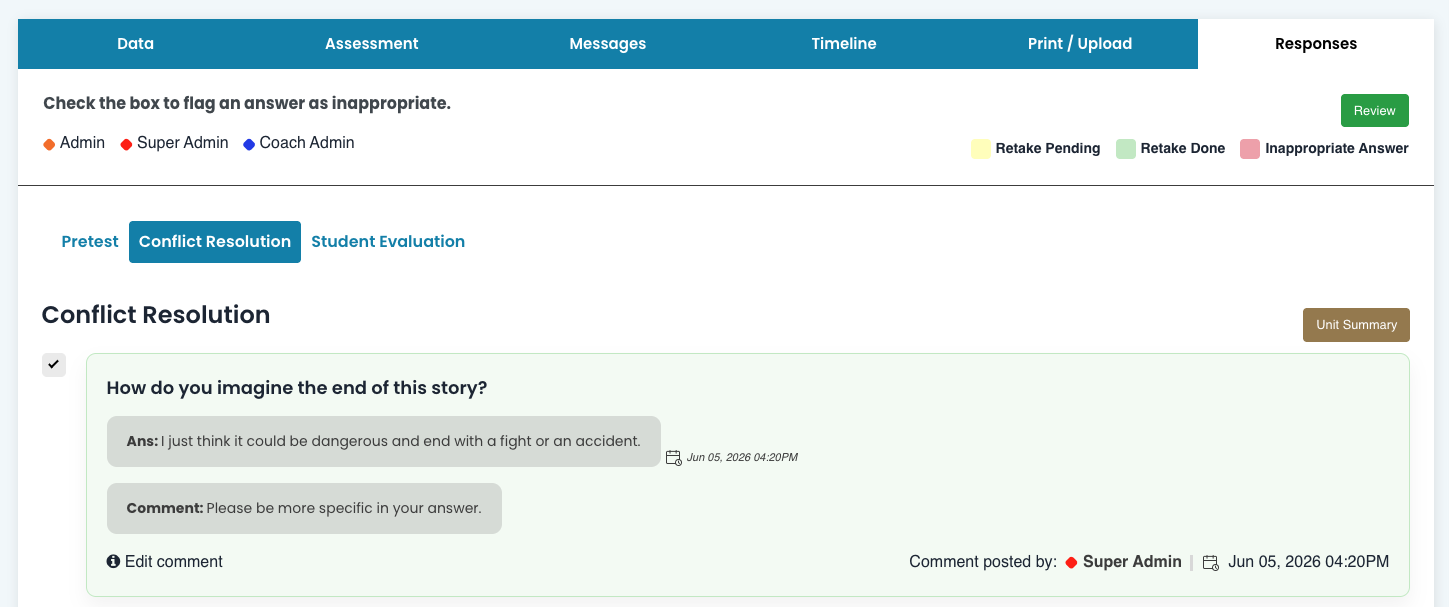
Step 1: Responses Tab

On the Responses Tab, you can flag student answers by checking the box on the left side. Once you have flagged all responses that need to be retaken, you can select Confirm Selecton at the bottom of the page which will put the course into Retake Mode.

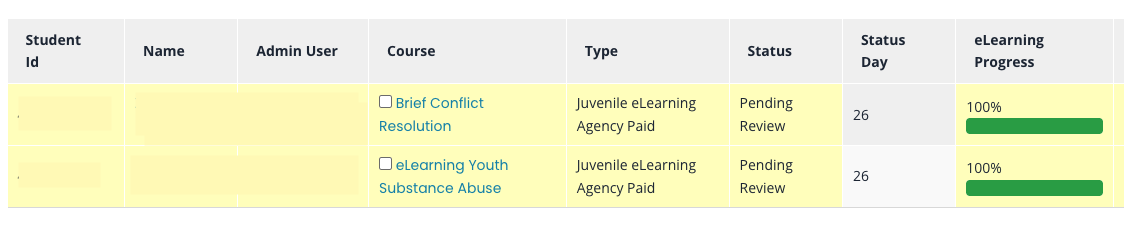
Step 2: Courses in Retake Mode

As an admin, this is what you'll see for courses in Retake Mode:

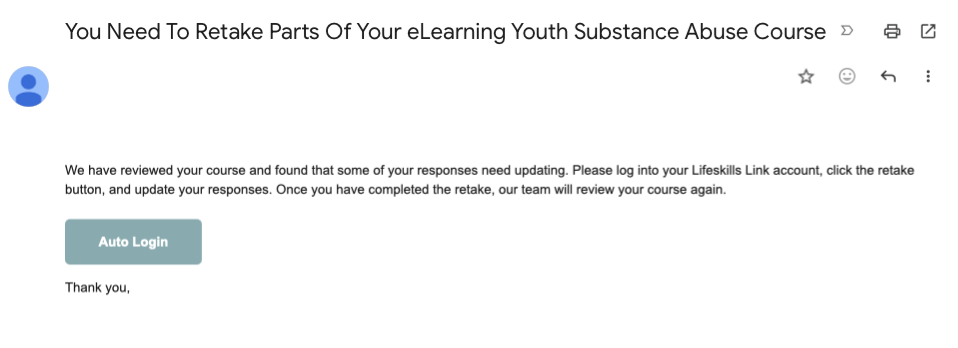
Step 3: Student Email Notification

Below is an example of the email a student would receive when you require a retake:

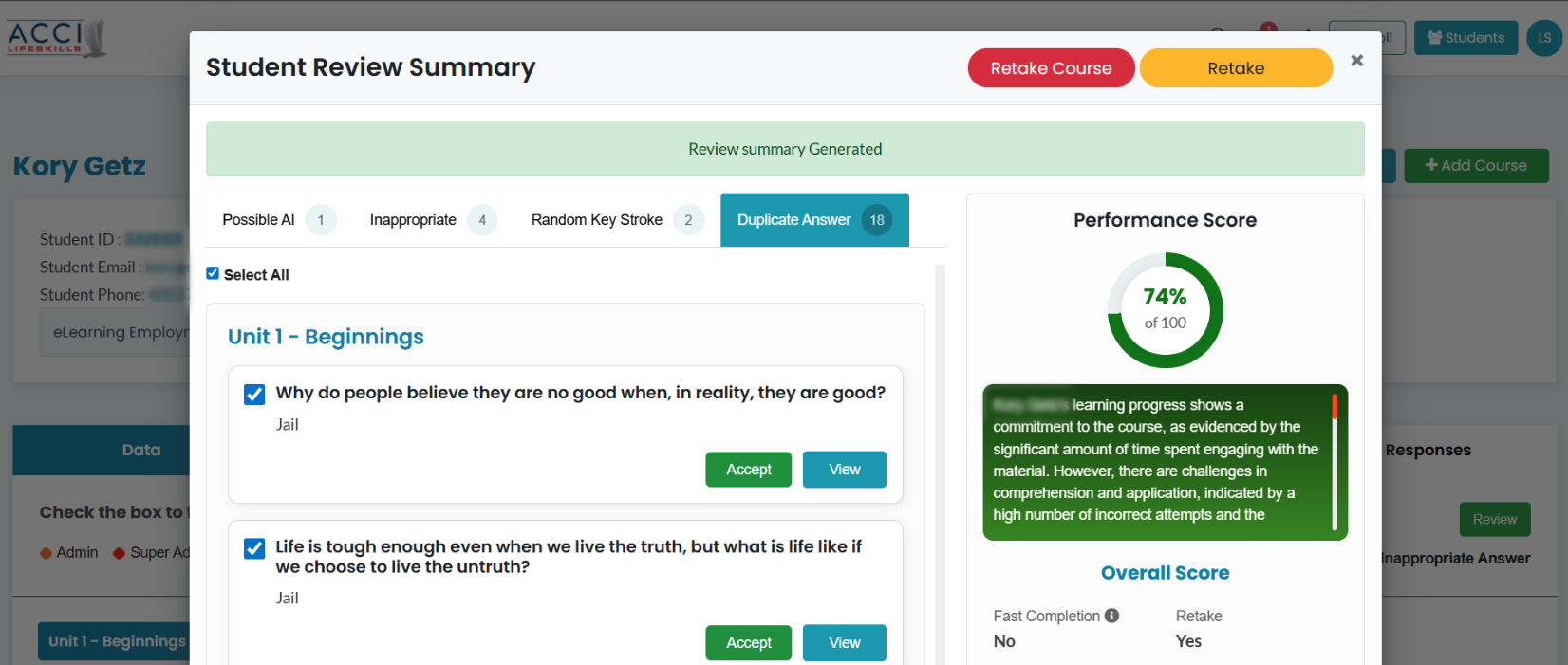
Step 4: Review Student Responses

Examples of responses that may necessitate retaking pages or sections include random keystrokes, possible use of AI, inappropriate answers, or duplicate answers, as shown below:

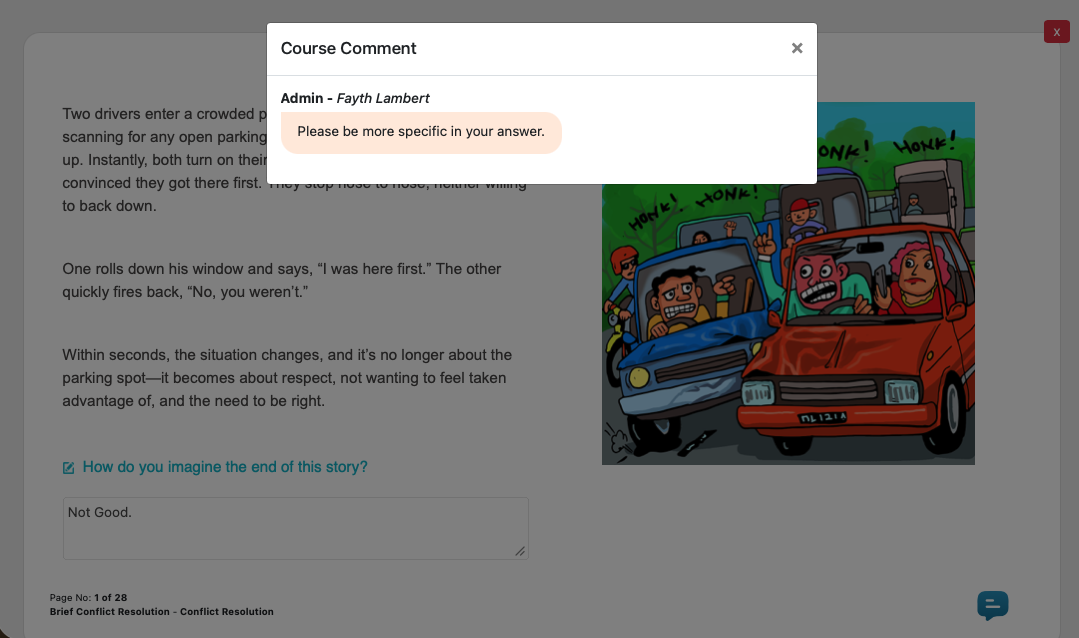
Step 5: Student View of Course Comments

Below is the student view of course comments left by a coach or admin.

Conclusion / Call to Action

Remember that this feature should be used wisely. Ask yourself these questions: Has the student shown by their answers that they've learned the material - that their thinking is improved? Is rehabilitation taking place? If so, then a few incomplete or incorrect answers may not necessitate a retake.
 

Please let us know how you're using this tool and if there are ways we can improve it: info@lifeskillslink.com